
As part of Microsoft’s ongoing efforts to modernize and streamline its cloud security offerings, Azure Disk Encryption (ADE) is officially scheduled for retirement on September 15, 2028. This will mark a significant shift in how organizations secure their virtual machine (VM) workloads, as they transition to the recommended Encryption at Host (EAH).
Why Is ADE Being Retired?
ADE has served as a foundational security feature, leveraging BitLocker for Windows and DM-Crypt for Linux to encrypt VM disks. However, its architecture introduces complexity and performance overhead, particularly during VM boot, disk unlock, and recovery operations. As cloud workloads scale and diversify, Microsoft is pivoting toward solutions that offer broader OS support, improved performance, and improved security.
How to Identify Impacted Disks
To ensure a smooth transition from ADE to Encryption at Host, it’s critical to first inventory your existing resources and determine which disks (if any) are currently using ADE.
Manual Verification
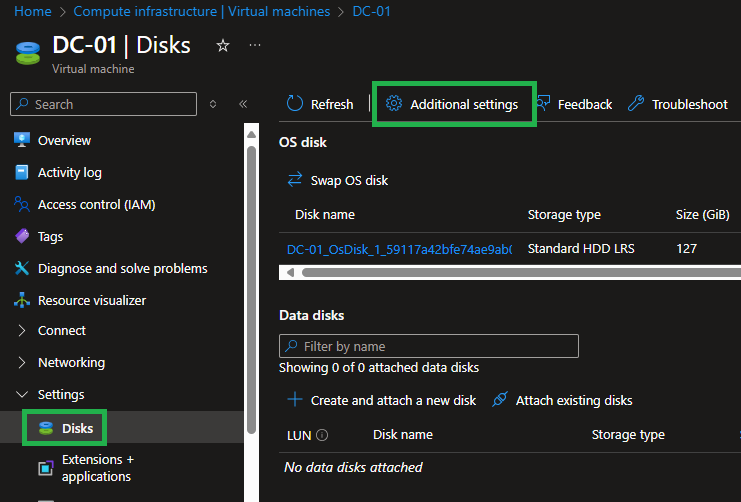
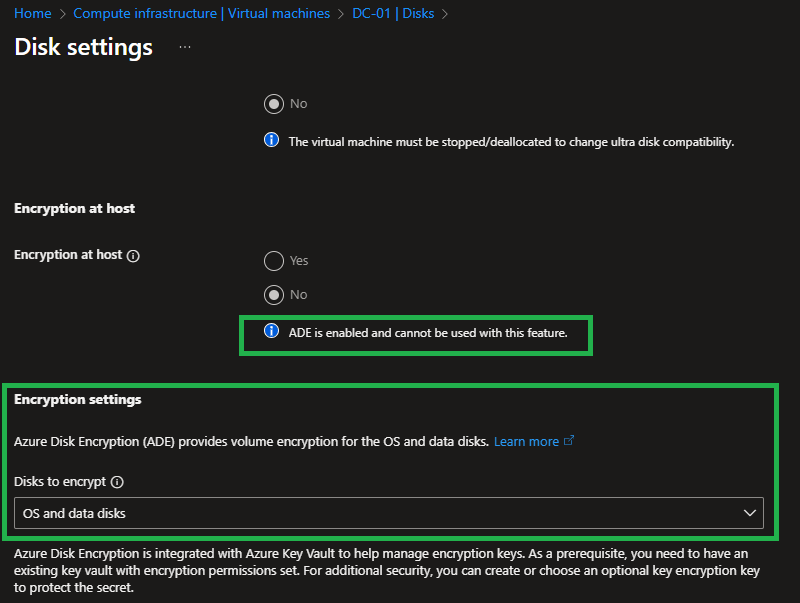
For manual verification you can check the Disk Encryption Settings via the Azure Portal.
Go to the Disks blade of your VM and select “Additional Settings”. Here you will be able to validate what type of encryption you have enabled on your disk.
Programmatic Verification
While the Azure Portal approach might work in small scale environments, a programmatic approach will be more efficient at isolating impacted disks for large scale deployments.
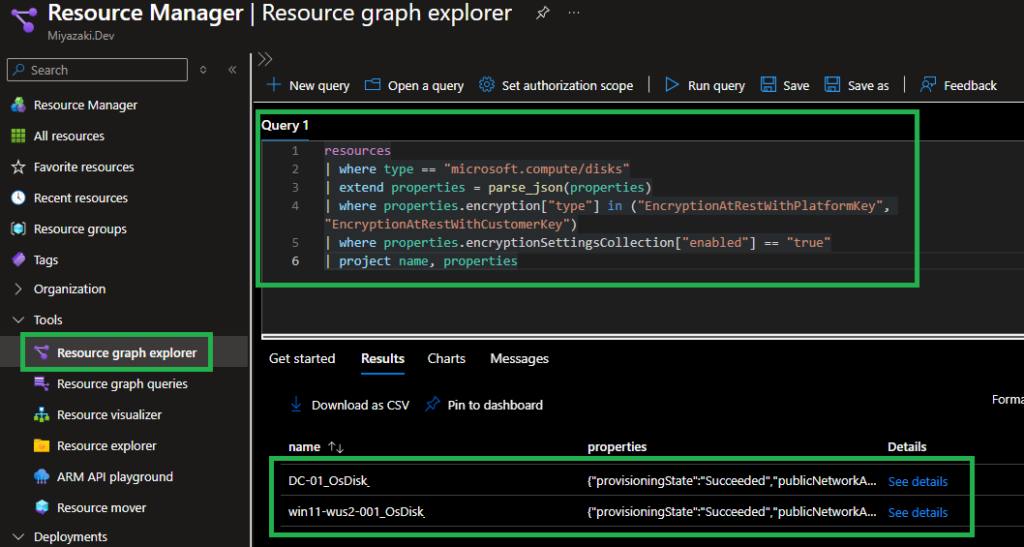
From the Azure Resource Graph Explorer you can run the following query:
resources
| where type == "microsoft.compute/disks"
| extend properties = parse_json(properties)
| where properties.encryption["type"] in ("EncryptionAtRestWithPlatformKey", "EncryptionAtRestWithCustomerKey")
| where properties.encryptionSettingsCollection["enabled"] == "true"
| project name, properties
If you have ADE configured disks, you will see a similar output as in the screenshot below.
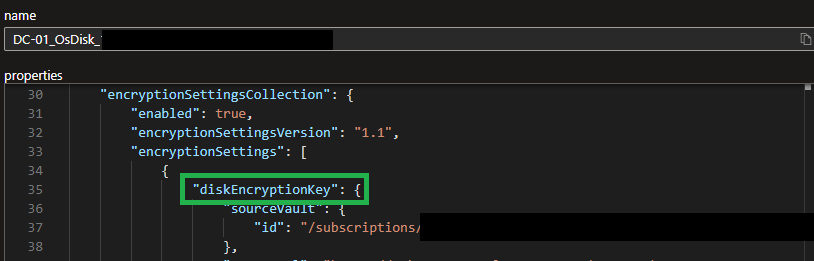
You can validate this by looking at the details pane. When ADE is configured, the “diskEncryptionKey” attribute will be visible.
Conduct Migration
If any remediation is needed, the migration steps will vary based off OS type. To migrate any existing ADE enabled disks, the following migration guide has been provided.
Final Thoughts
While the retirement of ADE is still quite a way out, organizations should begin planning their migration now to avoid last-minute disruptions and ensure continuity of service.
Until next time!